Reading coordinates
Latitude and longitude: how to read your GPS coordinates.
Latitude is how far north or south you are. Longitude is how far east or west. Put the two numbers together and you have one exact spot on earth. Here is how to read a pair, the formats they come in, and how to find your own.
Latitude and longitude are the two numbers that pin any spot on earth. Latitude tells you how far north or south you are. Longitude tells you how far east or west. Put them together, like 36.1329, -115.1523, and you have one exact location anywhere on the planet.
You see these numbers on weather sites, in map apps, on a boat's GPS, in a hiking or geocaching app, and any time someone needs to mark a spot with no street address. Here is what each number means, how to read a pair out loud, and how to find your own, all in plain terms.
What are latitude and longitude?
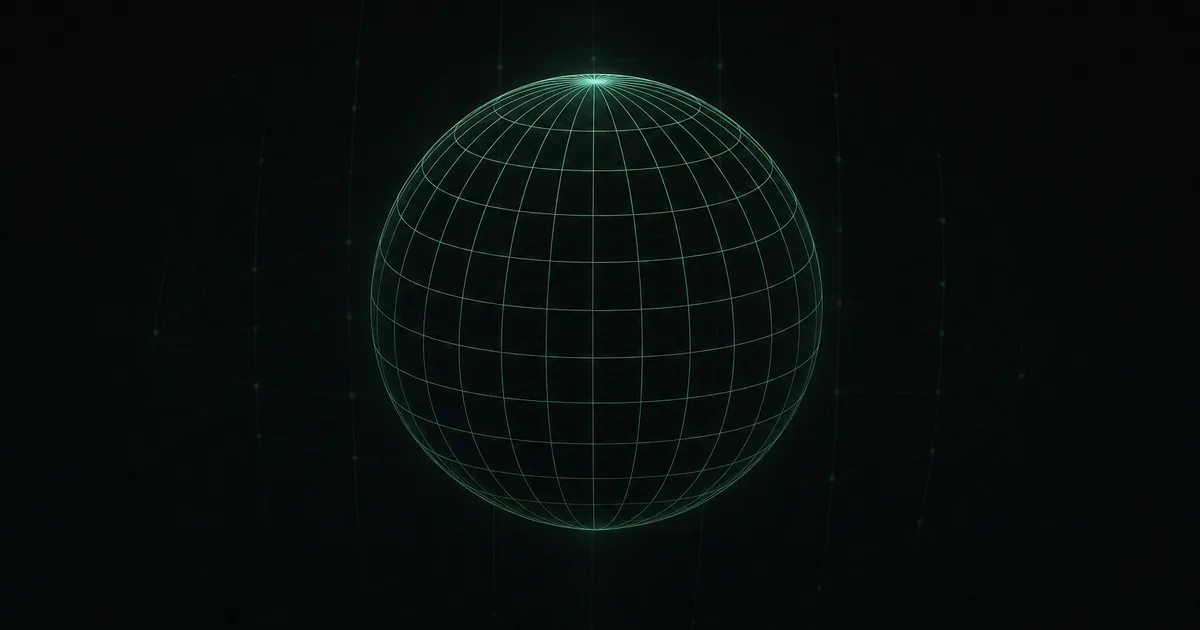
Picture the earth wrapped in a grid of lines. Two sets of lines, crossing each other, give every point its own pair of numbers.
- Latitude lines run side to side, flat, like the rungs of a ladder. They measure how far north or south you are from the equator, the line around the middle of the earth. The equator is 0 degrees. The North Pole is 90 degrees north, the South Pole is 90 degrees south.
- Longitude lines run top to bottom, pole to pole. They measure how far east or west you are from the prime meridian, a line through Greenwich, England, set at 0 degrees. From there it runs up to 180 degrees east and 180 degrees west, meeting on the far side of the earth.
Where a latitude line and a longitude line cross is one exact point. That crossing is what a pair of coordinates describes. An easy way to keep them straight: "lat is flat," so latitude is the up-and-down number and longitude is the side-to-side one.
How to read a pair of coordinates
Two rules cover almost everything:
- Latitude comes first, longitude second. Always. 36.1329, -115.1523 means latitude 36.1329 and longitude -115.1523, not the other way around. Swapping them is the most common mistake, and it can drop you in the wrong country.
- The sign or the letter tells you the direction. A positive latitude is north, a negative one is south. A positive longitude is east, a negative one is west. Some formats use letters instead, so 36.1329 N, 115.1523 W means the same thing.
So a coordinate like 36.1329, -115.1523 reads as "about 36 degrees north, about 115 degrees west," which lands you near Las Vegas. Read the latitude, then the longitude, and note which side of zero each one is on.
Three ways to write the same spot
The same point can be written three ways. They look different but mean the exact same place, and apps switch between them:
- Decimal degrees (DD): 36.1329, -115.1523. One number each, with a decimal. This is what Google Maps and most apps use, and it is the easiest to copy and paste.
- Degrees, minutes, seconds (DMS): 36°7'58"N, 115°9'8"W. The old-school format, like a clock: each degree splits into 60 minutes, and each minute into 60 seconds. You see it on paper maps and nautical charts.
- Degrees and decimal minutes (DDM): 36°7.97'N, 115°9.14'W. A middle ground common in boating and aviation.
If someone hands you coordinates in one format and your app expects another, you have to convert between the formats, or use an app that shows them all. LOC8 shows your position in all three, plus the MGRS military grid, and lets you switch with a tap.
How to find your own latitude and longitude
Your phone already knows your coordinates. It just does not always put them in front of you. The quick ways on an iPhone:
- Apple Maps: tap the location arrow to center on your dot, then tap and hold the blue dot. A card slides up with your latitude and longitude in decimal degrees.
- Google Maps: tap and hold your spot to drop a pin, and the coordinates appear at the top in the search bar.
Both bury it a couple of taps deep and only give you decimal degrees. A dedicated location app like LOC8 shows your coordinates the second you open it, in all four formats, next to your street address and nearest cross street. Read out whichever one the person on the other end needs, a boater, a pilot, a search team, or a friend. For more on getting and sending those numbers, here is how to find and share the GPS coordinates of your location.
LOC8 shows your latitude and longitude the moment you open it, in decimal degrees, degrees-minutes-seconds, decimal minutes, and the MGRS grid, next to your full address and nearest cross street. Tap to switch, read it out, or share it. No account, and it works offline.
Common mistakes that send people to the wrong place
Coordinates are precise, which means a small slip is a big miss. Watch for these:
- Swapping latitude and longitude. The number-one error. Latitude is first and only runs from -90 to 90; longitude is second and runs from -180 to 180. If your "latitude" is bigger than 90, you have them backward.
- Dropping a minus sign. Forgetting the negative on a west longitude or a south latitude flips you to the opposite side of the planet.
- Mixing formats. Pasting a degrees-minutes-seconds value into a box that expects decimal degrees gives a wildly wrong spot. Make sure both ends are using the same format.
When lat/long is not the best tool
Latitude and longitude work everywhere, but two other formats can be faster to say out loud:
- The MGRS military grid swaps the long decimals for a short letter-and-number code, used by the military and search and rescue teams. Here is how MGRS works.
- A three-word address from what3words gives every 3-meter square its own three plain words, easy to say to anyone with the app. Here is what that is.
They all point to the same spot. The reason to carry a tool that shows them together is having the right one ready, whether you are reading your exact location to a 911 operator or sending it to a friend.
Your coordinates, the moment you look
LOC8 shows your latitude and longitude in four formats, next to your address and cross street. Tap to switch or share. Works offline. No account.
Common questions
What are latitude and longitude?
Latitude and longitude are two numbers that pin any spot on earth. Latitude is how far north or south you are from the equator, from 0 degrees at the equator to 90 at each pole. Longitude is how far east or west you are from the prime meridian, up to 180 degrees each way. Where the two cross is one exact point.
How do you read latitude and longitude?
Read the latitude first and the longitude second. A positive latitude is north and a negative one is south; a positive longitude is east and a negative one is west. So 36.1329, -115.1523 means about 36 degrees north and 115 degrees west. Some formats use N, S, E, and W letters instead of plus and minus signs.
Which comes first, latitude or longitude?
Latitude always comes first, then longitude. Swapping them is the most common mistake. An easy check: latitude only goes up to 90, so if the first number is bigger than 90, the pair is backward.
How do I find my latitude and longitude on my phone?
On Apple Maps, tap the location arrow, then tap and hold your blue dot to see your coordinates. On Google Maps, tap and hold to drop a pin. Both show decimal degrees only. A location app like LOC8 shows your coordinates the moment you open it, in four formats, next to your address.
What is the difference between DD, DMS, and DDM?
They are three ways to write the same coordinate. Decimal degrees (DD) is one number with a decimal, like 36.1329, and is what most apps use. Degrees, minutes, seconds (DMS) splits each degree into 60 minutes and each minute into 60 seconds. Degrees and decimal minutes (DDM) is a middle ground used in boating and aviation. They all point to the same spot.
How accurate is a latitude and longitude reading?
Phone GPS is usually accurate to within a few meters in the open. More decimal places mean a tighter spot: five decimal places in decimal degrees pins you to about a meter. The reading loosens indoors, between tall buildings, or under heavy tree cover, where the signal bounces before it reaches you.
Do latitude and longitude work without internet?
Yes. Your coordinates come from GPS satellites, not the cell network, so your latitude and longitude show even with no signal. Turning them into a street address needs a connection, but the numbers themselves are always there to read out.
